Requires a valid Routeway API key. Get yours from the dashboard.
Setup
1
Open API Settings
In JanitorAI, go to API Settings.
2
Select Proxy
Choose Proxy as the provider from the list.
3
Add a proxy configuration
Click + Add under Proxy Configurations and fill in:
4
Activate the configuration
Click Apply, then make sure the Routeway proxy configuration is marked Active.
5
Start chatting
JanitorAI will now route your conversations through Routeway. Pick a character and begin.
Troubleshooting
PROXY ERROR
PROXY ERROR
The most common causes:
- You selected a paid model but your Routeway account has no balance. Add funds from the dashboard.
- The proxy URL is incorrect. It must be exactly
https://api.routeway.ai/v1/chat/completions. - Your API key has extra spaces — re-paste it carefully.
Network error
Network error
Try these steps:
- Re-enter your API key
- Refresh the page
- Restart your browser
- Try a different browser if the issue persists
Model not responding
Model not responding
Verify the model ID matches exactly. Browse available models at routeway.ai/models or use the models endpoint.
"Unable to process your request right now. (unk)"
"Unable to process your request right now. (unk)"
This error is not caused by Routeway. It appears when JanitorAI’s own backend fails internally before your message ever reaches your configured proxy. Your request never makes it to Routeway.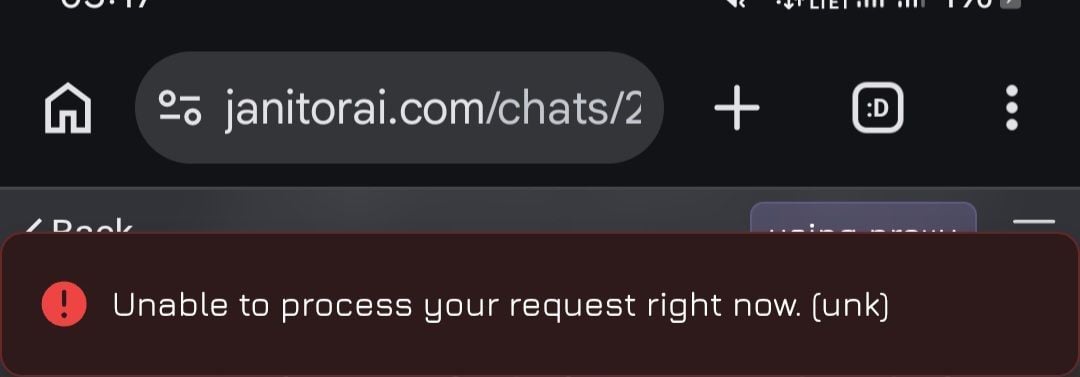
- Wait a few minutes and try again — it usually resolves on its own
- Refresh the page or restart the browser
- Try a different character or start a new chat
- If it persists, JanitorAI may be experiencing downtime
Network error: You may be rate limited or experiencing connection issues
Network error: You may be rate limited or experiencing connection issues
If you see the error message “A network error occurred, you may be rate limited or having connection issues: Failed to fetch”*, the most common cause is an incorrect proxy URL.Verify that your proxy URL is set to:
https://api.routeway.ai/v1/chat/completionsMake sure the URL does not include a trailing slash (/).Responses are very slow or timeout after ~90–100 seconds
Responses are very slow or timeout after ~90–100 seconds
If responses consistently take more than 90–100 seconds and eventually fail with an error, the most common cause is that Text streaming is disabled in JanitorAI.To enable it:
- Open any chat
- Click Customize
- Find Text streaming
- Enable it