Requires a valid Routeway API key. Get yours from the dashboard.
Setup
1
Open SillyTavern API settings
Launch SillyTavern and open the API connection panel (the plug icon in the top bar).
2
Select Chat Completions as the API type
Choose Chat Completions from the API type dropdown. Then select OpenAI as the source.
If you choose the Chat Completions endpoint, Routeway may automatically appear as an option in some SillyTavern versions.
3
Configure the connection
Fill in the following:
- API URL:
https://api.routeway.ai/v1 - API Key: Your Routeway API key
4
Choose a model
Set the model to any ID from routeway.ai/models, for example:
gpt-4.1claude-sonnet-4.5gemini-2.5-flash
5
Start chatting
Load a character card and begin your conversation. All requests will be routed through Routeway.
Image Generation with Server Tools
You can generate images inside SillyTavern chat using Routeway Server Tools. Append an image model tag to your text model ID — for exampleqwen3.8-max-preview@flux-2-turbo — then ask the character to draw or show something. The image renders inline in the message:
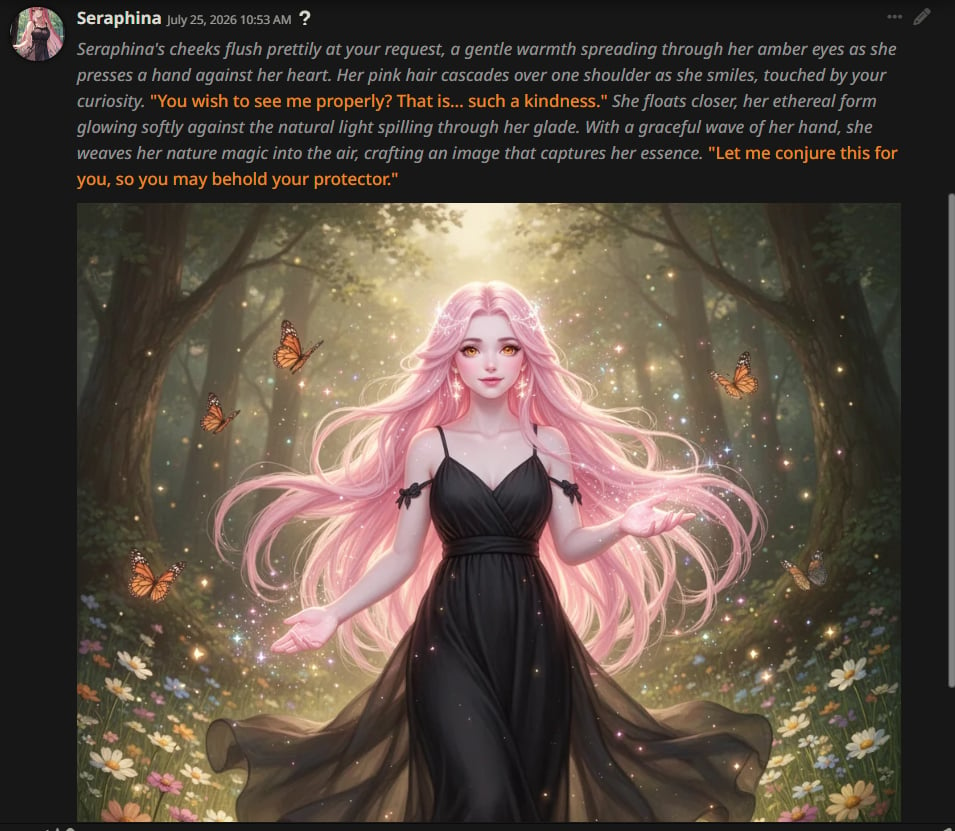
Enable external media
By default, SillyTavern may block external images. To allow Server Tool images to display:- Click User Settings (the gear icon) on the top menu bar.
- Find Forbid External Media and disable it.
Tips
- Streaming works out of the box — enable it in SillyTavern’s settings for real-time token output.
- Context size — check the model’s max context on the models page and set SillyTavern’s context limit accordingly.
- Free vs. paid models — free models have rate limits. If you hit them frequently during RP sessions, consider switching to a paid model.
- Image generation — use a
@<image_model>tagged model and disable Forbid External Media so images render inline. See Server Tools.